
⌕ Search
LuxuryHouse
♧
Electronics

✅Tap bottom-right “Contact us” for price + free delivery.✅

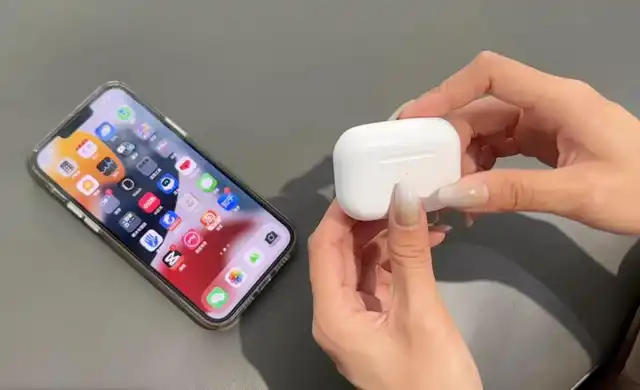
✅ Tap the ‘Contact us’ button in the bottom-right corner for pricing and free delivery. ✅ Using Apple EarPods Feature 𝟏 # Pop-up Introduction The pop-up feature is very responsive. Once you’ve received your EarPods, open the charging case and you’ll see a pop-up appear on your device. Then tap to connect to iCloud!!! Please note: you only need to connect them once. After that, the device will remember the connection. Once connected successfully, you’ll see a connection animation. The latest version’s pop-up window appears in 3.4 seconds and is very stable. Once connected, you can use them straight away. They also work with Android devices, though there’s no pop-up window‼️

SKU: 246887

LuxuryHouseCurated luxuryVisit store
New0Total52735
Details

✅Tap bottom-right “Contact us” for price + free delivery.✅

✅ Tap the ‘Contact us’ button in the bottom-right corner for pricing and free delivery. ✅ Using Apple EarPods Feature 𝟏 # Pop-up Introduction The pop-up feature is very responsive. Once you’ve received your EarPods, open the charging case and you’ll see a pop-up appear on your device. Then tap to connect to iCloud!!! Please note: you only need to connect them once. After that, the device will remember the connection. Once connected successfully, you’ll see a connection animation. The latest version’s pop-up window appears in 3.4 seconds and is very stable. Once connected, you can use them straight away. They also work with Android devices, though there’s no pop-up window‼️

Electronics
✅Tap bottom-right “Contact us” for price + free shipping.✅
✅Tap bottom-right “Contact us” for price + free delivery.✅ | LuxuryHouse